
Add an image
PNG, JPG, WebP, GIF (max 1024×1024)
Color palette from image
Upload any image and get its color palette in the formats artists actually use. Hex codes to your clipboard, a .gpl palette file that opens in Aseprite and GIMP, or a PNG swatch strip. Sort the palette by frequency, hue, or brightness, click any swatch to recolor the image, and hand the result straight to the other pixel art tools on the site. Free, no account, and every image on this page came out of this tool.
What extraction looks like
The extractor reads every pixel and returns the colors that define the image, up to 64 of them. Here is a gallery sprite and its 16-color palette.
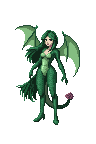

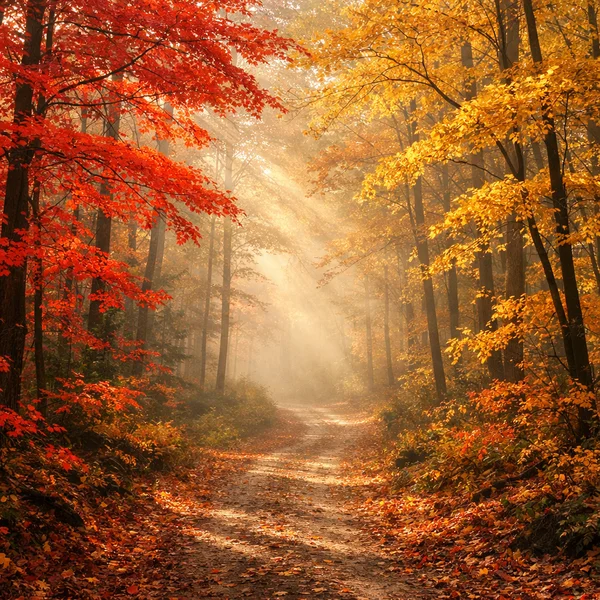
Pixel art gets exact extraction, because a sprite's palette IS its color set. Photos work differently. A photo holds thousands of unique colors, and the most frequent ones are usually fifteen shades of shadow, so the extractor clusters photos into distinct representative tones instead. Same autumn forest, twelve colors.

How the extractor picks colors
The tool uses two strategies and switches automatically. When an image holds fewer unique colors than you asked for, extraction is a straight frequency count, so a sprite's palette comes back exact and complete. When it holds more, the extractor runs median-cut color quantization, the same algorithm behind the site's image to pixel art converter. It splits the image's colors into boxes along their widest axis until it has your count, then averages each box into one representative. That's why a photo returns a spread of distinct tones instead of twelve near-identical shadows, which is what a naive frequency count produces.
Export formats that open in your editor
The palette exports three ways, and one of them is the reason this tool exists. Aseprite / GIMP (.gpl) downloads a standard GIMP palette file that Aseprite, GIMP, LibreSprite, and Krita open natively, so the colors land in your editor's palette panel without retyping a single hex code. Copy hex codes puts the whole palette on your clipboard, one color per line. PNG swatch strip saves the palette as an image for mood boards, Discord, or eyedropping in any editor.
Generic palette generators stop at pretty swatches. If you've ever extracted a palette on one of the big design sites and then hand-typed sixteen hex codes into Aseprite, the .gpl button is for you.
Sort by frequency, hue, or brightness
Frequency puts the dominant colors first, which is what you want for reading an image's character. Hue arranges the palette as a spectrum, the order painters and pixel artists expect a palette in. Brightness builds a light-to-dark ramp, which is effectively a value study of the image.

Recolor the image from its palette
Every swatch is editable. Click a color, pick a replacement, and the tool swaps every pixel of that color across the image, then lets you download the recolored PNG. It's a fast way to test a sprite in a different scheme, fix one wrong tone, or push a whole image warmer or cooler without opening an editor.
For deeper recoloring, the palette transfer tool applies a complete extracted palette to a different sprite, and the color swap tool handles one-off replacements with finer control.
From palette to pixel art
Extraction is usually the first step of something. The workflow the site is built around runs the whole loop. Extract a palette from a reference image here, apply it to your sprite with palette transfer, or generate new sprites in that palette with the AI sprite generator on Sprite AI (sprite-ai.art). Game teams use this to keep every asset in one scheme, and the .gpl export keeps Aseprite in sync with what's on the site.
Tips for better palettes
Most palette problems are count problems.
- Extracting a sprite? Set the count to the sprite's real color count and you get its palette verbatim, not an approximation
- Photos read best at 8 to 12 colors. Past that you're capturing tonal noise, which is only useful for value studies
- Sort by hue before exporting to an editor. Ramps are easier to build from a spectrum than from frequency order
- High-contrast images make stronger palettes. A foggy photo yields twelve grays no matter how you count
More free pixel art tools
 Tool
ToolColor reducer
Reduce colors in any image using perceptual quantization. Extract a clean limited palette.
 Tool
ToolPalette generator
Generate harmonious color palettes using color theory. Complementary, triadic, analogous, and more.
 Tool
ToolColor picker
Visual HSV color picker with hex/RGB/HSL inputs and curated pixel art palettes.
FAQ
Upload the image, set how many colors you want (1 to 64), and the palette appears instantly. Copy hex codes, download the palette as a .gpl file or PNG strip, or click any swatch to recolor the image.
Yes. It's free with no account, and everything runs in your browser.
A .gpl file is the GIMP palette format. Aseprite, GIMP, LibreSprite, and Krita all load it directly, so the palette you extract here drops straight into your pixel art editor.
Yes. Photos hold thousands of unique colors, so the extractor clusters them into distinct representative tones instead of returning near-duplicates. Pixel art keeps its exact colors.
Yes. Click any swatch in the extracted palette, pick a replacement, and every pixel of that color updates. Download the recolored image as a PNG.
For pixel art, match the sprite, usually 8 to 16. For photos, 8 to 12 gives a usable scheme and 24 or more captures fine tonal shifts.