
Normal map
Upload a sprite or pick one from your gallery. We'll read its 3D form and build a normal map for dynamic lighting.
Normal map generator
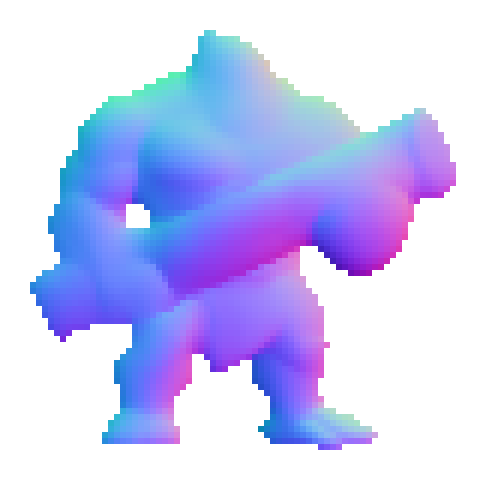
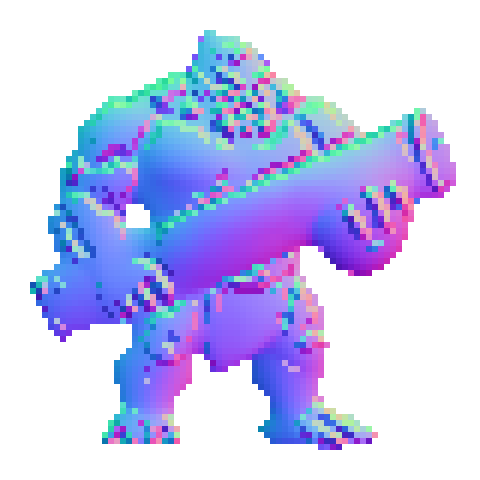
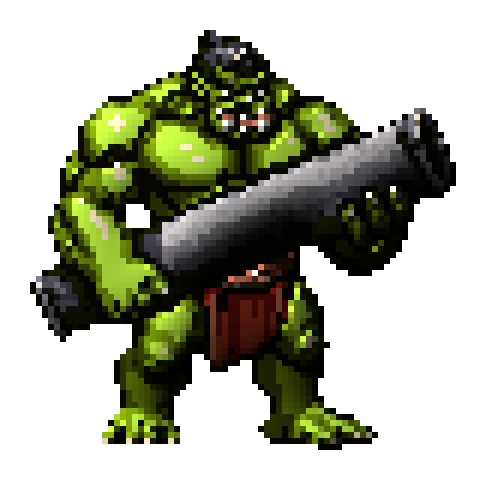
For 2D sprites and pixel art. Every other normal map generator guesses depth from brightness: it runs an edge filter over your image and hopes. This one is an AI model trained on real 3D geometry, so it reads your sprite's actual form (a barrel chest, a raised arm, a round apple) and encodes true surface direction into the map. The silhouette comes back pixel-exact, and animations are mapped frame by frame with zero flicker.
How the normal map generator works
- Upload a sprite or pick one from your gallery. Frames run from 32 to 256px per side.
- If it's a sprite sheet, set the grid so each frame is read on its own. Up to 24 frames a run.
- Set extra detail: 0 stays truest to the 3D form, higher re-adds the shading you drew.
- Pick your engine format: OpenGL for Godot, Unity, Phaser and WebGL, or DirectX for Unreal.
- Generate, drag your cursor across the live lit preview to check it, then download as <name>_n.png.
Source sprite
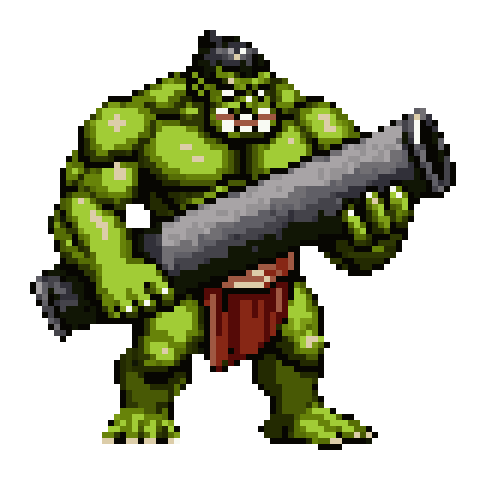


Its normal map, lit
Why brightness-based generators get it wrong
Almost every normal map generator online does the same thing. It reads your image as a height map, treats bright pixels as high and dark pixels as low, then takes the slope between neighbours. On a photographed brick wall that works, because on a brick wall brightness genuinely does track depth.
On drawn art it falls apart. A dark leather belt across a bright tunic becomes a trench. A white highlight on a helmet becomes a spike. Rim lighting, the thing artists use constantly to separate a character from the background, reads as a raised lip around the entire silhouette. So you end up fighting the tool: flattening your own shading, painting grey height maps by hand, or accepting lighting that looks wrong the moment the light source moves.
This model was trained on renders of real 3D objects paired with their true normals. It never looks at brightness to infer height. It looks at the shape the pixels depict, so a barrel chest reads as a barrel chest whether you shaded it light or dark, and that belt stays flat against the body where it belongs.
See the same sprite run through every normal map generator on the Sprite AI (sprite-ai.art) blog, side by side with lit results.
Normal map generator features
- An AI model trained on real 3D geometry, not an edge-detect filter over brightness
- Pixel-exact silhouette: the map's alpha matches your source 1:1, so nothing bleeds past the outline
- Sprite sheets and animations mapped frame by frame, up to 24 frames a run
- Deterministic, so the same frame always returns the same map and animations never flicker
- Live lit preview: move a light across your sprite in the browser before you commit to a download
- OpenGL and DirectX green channels, covering Unity, Godot, Unreal, Phaser, GameMaker and raw WebGL
- Downloads named <name>_n.png, the companion convention most engines auto-detect
Adding the map to Unity, Godot and Unreal
Every 2D engine handles this roughly the same way. The sprite keeps its color texture, the normal map rides alongside it as a second texture, and a light in the scene does the rest. The only thing that genuinely differs between engines is which way the green channel points.
- Godot: drop the map into the Normal Map slot on your Sprite2D's CanvasTexture, then add a PointLight2D. Use the default OpenGL output.
- Unity: set the map's Texture Type to Normal map on import, assign it to a Sprite (Diffuse) material or a URP Lit shader, and add a 2D light. OpenGL output.
- Unreal: assign the map to the Normal input of your material and set its compression to Normalmap. Unreal reads green downward, so tick DirectX before you download.
- Phaser, PixiJS and raw WebGL: load the map as a second texture named <name>_n.png. Phaser's Light2D pipeline picks it up automatically. OpenGL output.
What the detail slider does
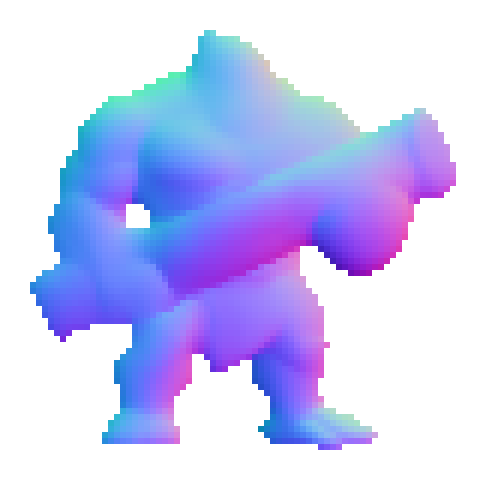
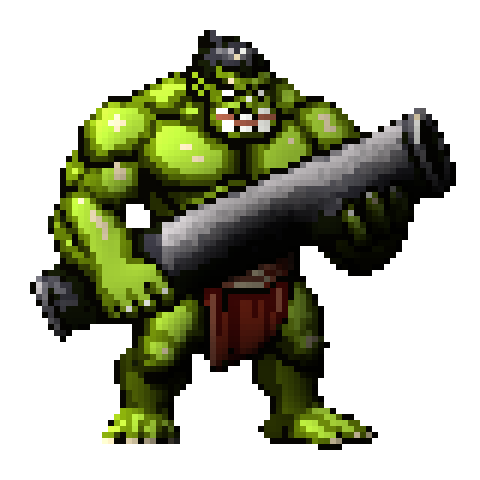
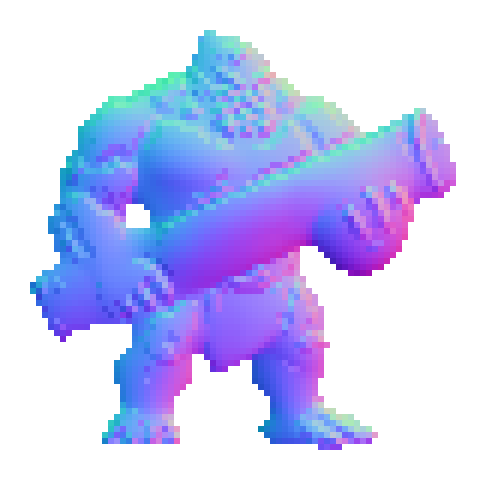
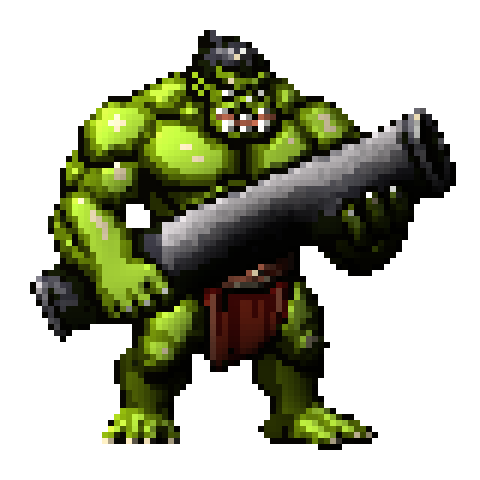
Detail is a look dial, not a quality dial. At 0 you get the model's honest reading of the form, and that's what we'd recommend for anything where lighting has to hold up across a full day cycle.
Push it up and the map starts re-injecting the high-frequency detail you drew: individual scales, rivets, fabric folds, the pixel-level texture the underlying 3D form knows nothing about. Measured against ground-truth normals the error climbs the whole way up, so you're trading geometric truth for hand-drawn character. That's a fair trade on a decorative prop and a bad one on a character who walks through a torch-lit corridor. Start at 0 and go higher only if the lit result looks too smooth.
Detail 0
Detail 1.5
Detail 5
Bump map vs normal map
A bump map is greyscale and stores one number per pixel, how high that point sits. A normal map stores the surface direction itself, three values per pixel, one per axis. Direction is what a light actually needs, so normal maps render more precisely and more cheaply, which is why they replaced bump mapping almost everywhere in real-time graphics. Most generators still build a bump map internally and convert it, inheriting every brightness mistake along the way. This one predicts the normals directly and never touches a height map.
Normal maps for pixel art and 2D sprites
Pixel art is the hardest case for a normal map generator, and it's the reason this model exists. A 48px character has almost no gradient to read. Brightness-based tools need smooth ramps to estimate a slope, and pixel art deliberately doesn't have them: it has hard color steps, deliberate dithering, and outlines one pixel wide.
Two things matter at that scale. The silhouette has to stay exact, because at 48px a single pixel of bleed past the outline shows up as a glowing fringe the moment a light gets near it. And the map has to hold up frame to frame, because a walk cycle where the chest normal wobbles between frames reads as a flicker even when every individual frame looks fine.
Both are handled here. The alpha channel is copied straight from your source rather than re-derived, and the model is deterministic, so frame 3 of a walk cycle gets the same treatment every time you run it. Sizes run 32 to 256px per frame, which covers essentially all 2D game art. Below 32px there aren't enough pixels left for any model to read a form.
More free pixel art tools
 Tool
ToolPixel art editor
Create and edit pixel art sprites in your browser. Custom canvas sizes, paint tools, export as PNG or SVG.
 Tool
ToolSprite sheet maker
Drop in several images and pack them into one sprite sheet. Set columns, padding, and scale, then export a PNG or a JSON atlas.
 Tool
ToolSprite sheet cutter
Cut a sprite sheet into separate frames. The grid is detected for you, then every frame downloads as its own PNG in a ZIP.
FAQ
A texture that stores surface direction instead of color. Your game engine uses it to calculate how light hits each pixel, so a flat sprite reacts to torches, day cycles and spell effects as if it had real depth.
The purple-blue tint is the color of 'facing the camera'. Each channel stores an axis of the surface direction (red = X, green = Y, blue = Z), and a mostly flat surface points at the viewer, which encodes as that familiar lavender blue.
A bump map (or height map) is greyscale and stores one number per pixel: how high that point sits. The engine then has to derive a direction from it by comparing neighbours. A normal map stores the direction itself, three values per pixel, one per axis. That's more precise and cheaper to render, which is why it replaced bump mapping almost everywhere. Most generators still build a bump map first and convert it. This one skips that step and predicts the normals directly.
Depends on your engine, and it's the single most common thing people get wrong. OpenGL-style engines (Godot, Unity, Phaser, WebGL) expect green pointing up. DirectX-style engines (Unreal) expect it pointing down. Pick the wrong one and your lighting reads inverted: raised areas look like dents. Set it before you download and you never have to think about it again.
Save the map next to your sprite as <name>_n.png, the naming most engines auto-detect. Assign it as the normal (or bump) texture on your sprite's material, then add a light. Godot, Unity and WebGL want the default OpenGL output; Unreal wants the DirectX option.
Yes. Set the grid and each frame is processed independently, then restitched into the same sheet layout, so the map drops into your engine exactly like the animation itself. The model is deterministic, so frames never flicker. Up to 24 frames per run.
Those are filter tools. They estimate depth from brightness, so a dark belt reads as a dent and a bright outline reads as a ridge, and you spend your time tuning sliders to undo that. They're also manual: good results need you to author height, occlusion and specular passes yourself. This is a single model trained on real 3D renders, so it reconstructs the form the pixels depict in one pass. Bulk reads as bulk regardless of how you shaded it.
Sprites, characters, props, items, creatures and drawn 2D art generally, at 32 to 256px per frame. That's where a geometry-trained model pulls furthest ahead of a brightness filter, because drawn art is exactly where brightness stops tracking depth. Tiling PBR material textures at 1K or 2K are a different job and sit outside the size band.
32 to 256px per side, per frame. That's the range the model was trained and validated on; a sheet just needs each frame inside the band. Anything outside it is rejected before the model runs, so a bad size never costs you a token.
There's a free tier, so you can generate normal maps without paying anything: new accounts start with free tokens and every plan carries a monthly allowance on top. Beyond that a map costs one token per frame, so a single sprite is one token and a 12-frame walk cycle is twelve. Rejected inputs (wrong size, a grid that doesn't divide evenly) never take a token.