
Add an image
Drop a .gif here (max 25MB)
GIF to sprite sheet converter
Drop in an animated GIF and get a clean sprite sheet PNG back, with every frame laid out on a grid. This free GIF to sprite sheet converter runs entirely in your browser, so nothing is uploaded, and it can also export a Phaser-ready atlas (a PNG plus a sprite.json) for your game engine. Tune the columns, padding, scale, and background, and the preview updates as you go. This page converts in one direction only. Sheet back to GIF is the sprite sheet to GIF converter.
How to convert a GIF to a sprite sheet
Converting a GIF to a sprite sheet takes four steps, and every frame the GIF holds comes along.
- Drop your animated GIF onto the uploader
- Every frame is extracted and arranged into a grid
- Adjust columns, padding, scale, and background, and the preview updates live
- Download a PNG sheet, or grab the atlas ZIP (PNG + sprite.json for Phaser, Pixi, and Godot)
Here's the whole trip. An 8-frame ogre walk cycle as an animated GIF, and the 4x2 sprite sheet the converter returns.
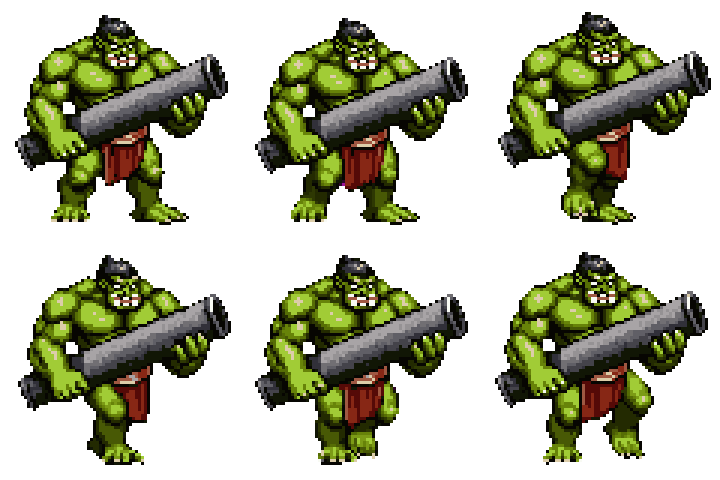
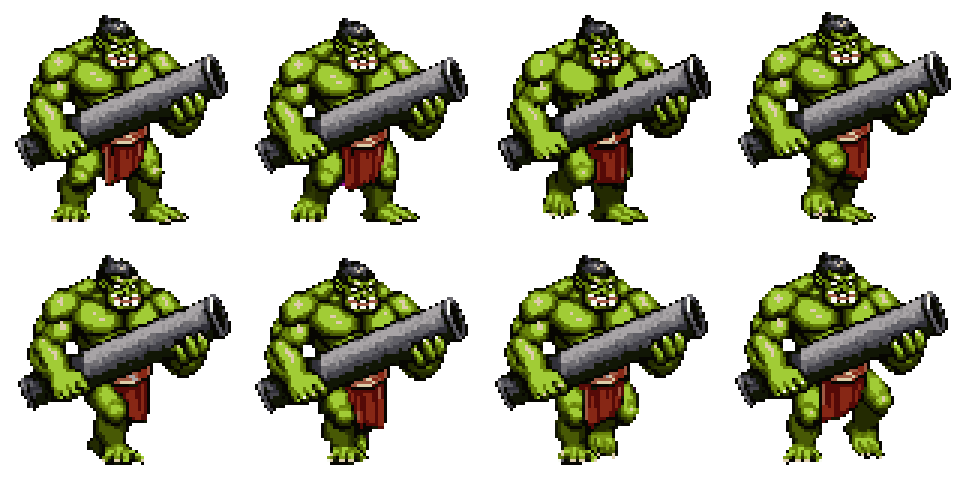
The GIF plays. The sheet is the same eight frames standing still on a grid, which is the form Unity's Sprite Editor slices, Godot's AtlasTexture reads, and Phaser loads with the JSON beside it.
Why this GIF to sprite sheet converter
The short version is that it treats your GIF like game art, not like a video.
- Everything runs in your browser. Zero upload, no account needed
- Pixel-perfect scaling (nearest-neighbor, 1x to 8x) so GIF pixels stay crisp
- Honors GIF transparency and frame disposal
- Atlas export drops straight into Phaser 3, Pixi, Godot, and TexturePacker
- Works with any animated GIF. Pixel art, game captures, emoji, Discord stickers
And if the GIF is only the reference and you want original frames instead, the AI sprite generator on Sprite AI (sprite-ai.art) generates animated sprites from a text prompt, and the sprite sheet maker packs any loose frames the same way this page packs GIF frames.
More free pixel art tools
 Tool
ToolSprite sheet maker
Drop in several images and pack them into one sprite sheet. Set columns, padding, and scale, then export a PNG or a JSON atlas.
 Tool
ToolSprite sheet cutter
Cut a sprite sheet into separate frames. The grid is detected for you, then every frame downloads as its own PNG in a ZIP.
 Tool
ToolSprite sheet to GIF
Convert any sprite sheet PNG into an animated GIF. Live preview, FPS slider, padding support.
FAQ
Game engines and animation libraries usually take a single PNG with frames in a grid plus a JSON atlas describing each frame's position. A sprite sheet also lets you edit individual frames, which a GIF file doesn't allow.
Upload the GIF, set the columns to match the layout your VRChat shader expects, then download the PNG sheet. Frames stay pixel-perfect at 1× scale.
A JSON-hash sprite atlas compatible with Phaser 3's load.atlas(), Pixi's Spritesheet loader, and readable by Godot and TexturePacker. Each frame has x/y/w/h plus a duration field in milliseconds.
Yes. Transparent pixels in the GIF stay transparent in the sprite sheet. If you turn off the Transparent toggle, the background is filled with the color you pick.
Yes, use the sprite sheet to GIF tool for the reverse direction.
25MB per file, 2048×2048 max dimensions per frame. That covers nearly every GIF you'll run into.