
Colors
16Main color
Theme
Mood
Pixel art palette generator
Generate a color palette for pixel art. Set how many colors you want from 4 to 64, choose a main color, a theme and a mood, then press generate until something works. Hold the colors you like, copy the hex codes, or download the palette as a PNG. Every palette on this page came out of the generator above, and every hex code is copy-ready. Free, no account, nothing uploaded.
Generate a palette
Four controls shape the result. Colors sets how many swatches you get, from 4 to 64. Main color fixes the color the palette is built around. Theme picks a subject from 35 presets. Mood moves saturation and brightness across 12 options. Generate, or the space bar, rolls a new palette.
Click the lock on any swatch to hold it, and the next roll builds a new palette around the colors you kept. Click a hex code to type a different one. Click the copy icon for a single color, or Copy all for the whole set.
Color count changes the structure, not just the length. The generator spends the budget on shading ramps, and a ramp needs about six colors to be worth having. So 8 colors buys one ramp, 16 buys two, 24 buys four, and 64 buys ten. Fewer colors means fewer materials, not thinner ones.
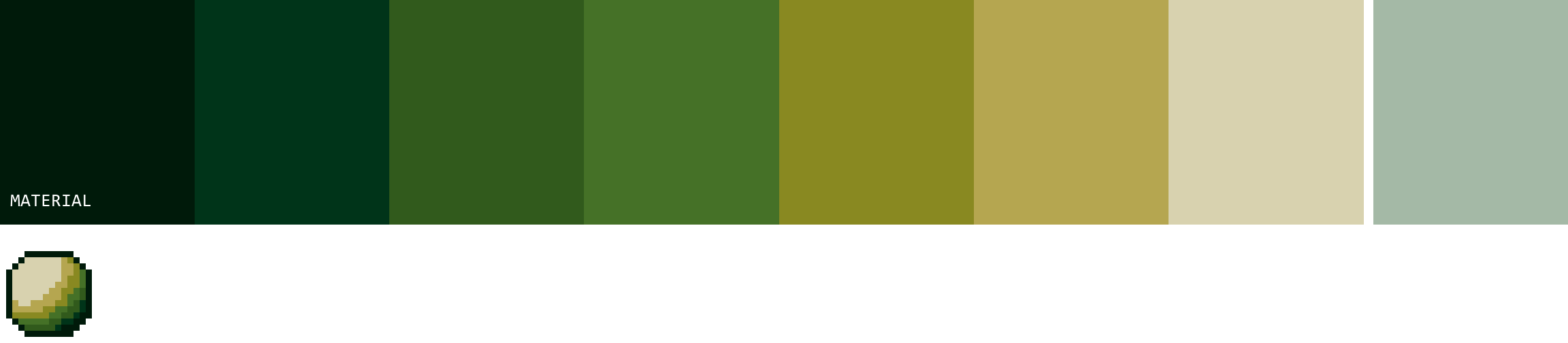
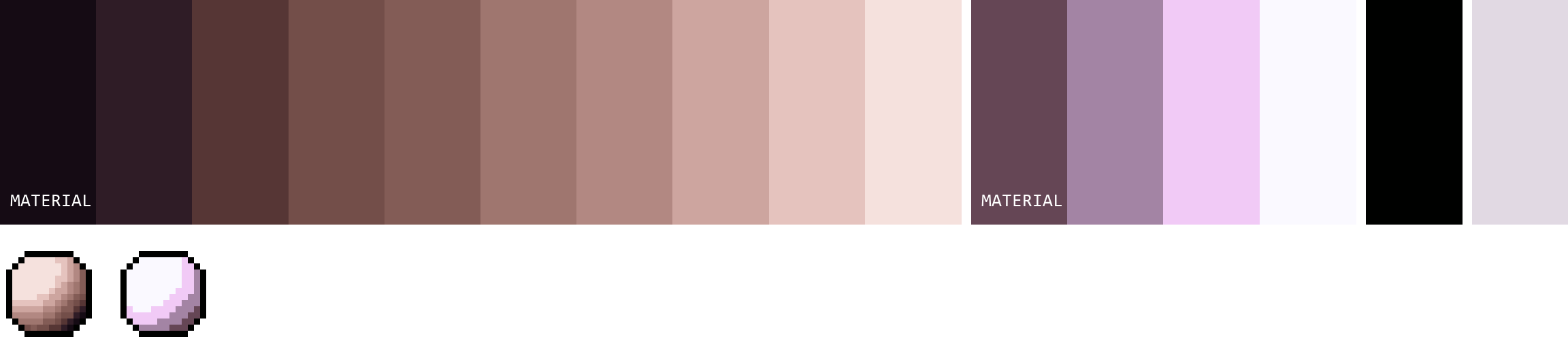
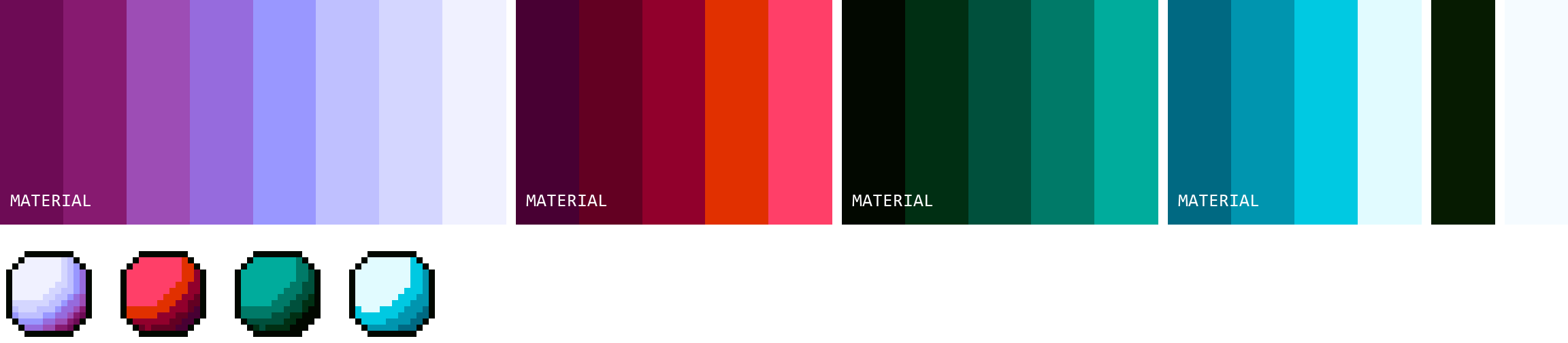
The spheres under each strip are the useful part. A ramp that looks fine as swatches can still band or go flat once it wraps a curved surface, and that only shows up when something is lit with it.
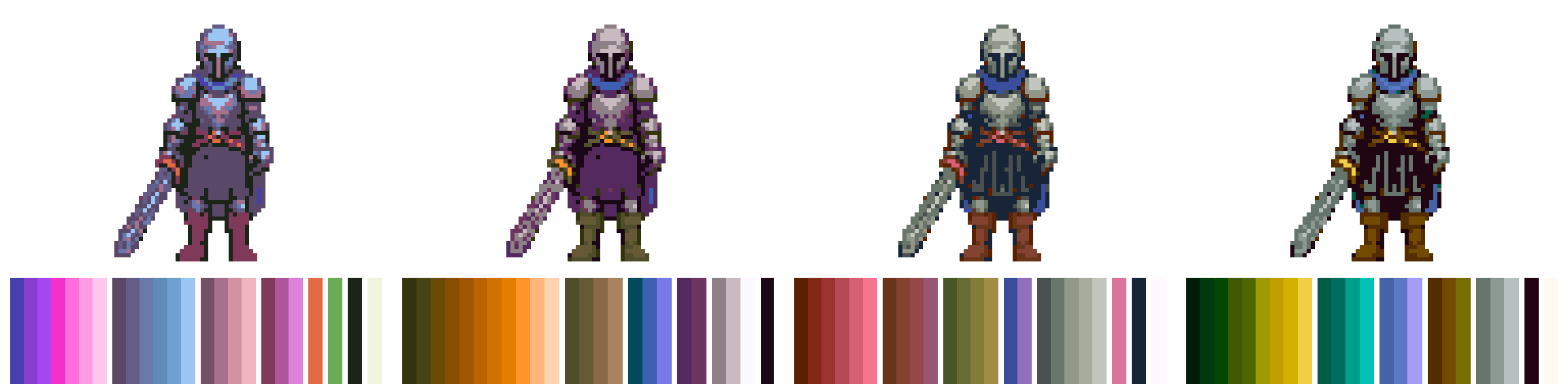
Same argument, on a sprite. Here is one knight through four generated palettes, each sitting above the palette that produced it.
Pick a main color and the palette builds around it
Set Main color and that exact hex lands in the palette, on the dominant ramp, at the step closest to its own brightness. Steering a hue is not the same as using a color. Someone who picks #2e7d32 expects to find #2e7d32 in the result.
The pick does three jobs at once. Its hue becomes the palette's dominant hue family, its saturation pulls the whole set toward or away from grey, and its brightness pulls the average value up or down. Pick a muted olive and a neon lime and you get two different palettes, not one palette twice.
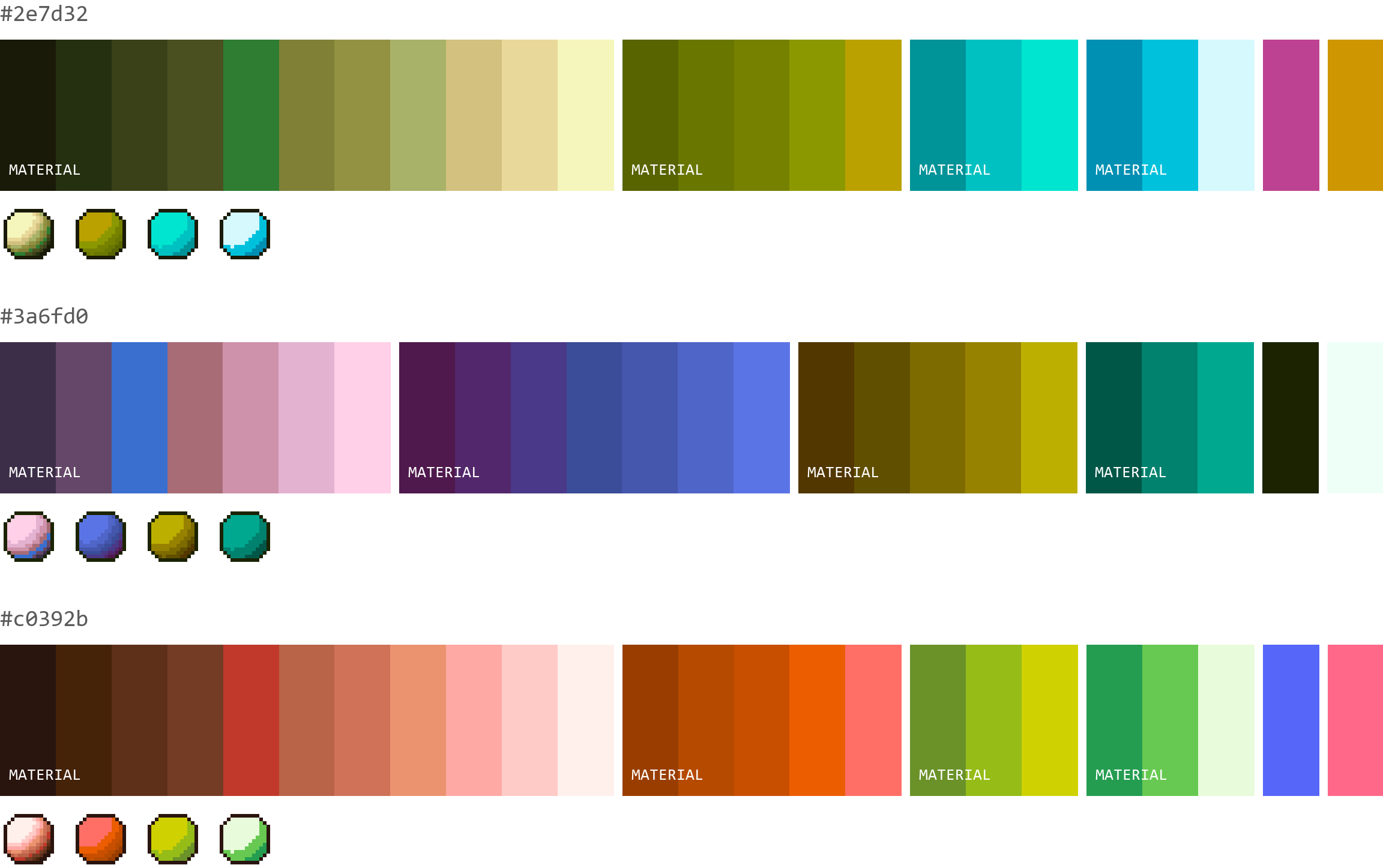
Black, white and grey work too. A neutral pick has no hue to steer with, so it steers saturation and value instead, and you get a low-chroma palette pushed dark or light. One honest limit. Picking black gets you a greyer palette rather than a genuinely black one, because every palette still has to reach a light end to stay readable on a sprite.
Themes set the hues, moods set the intensity
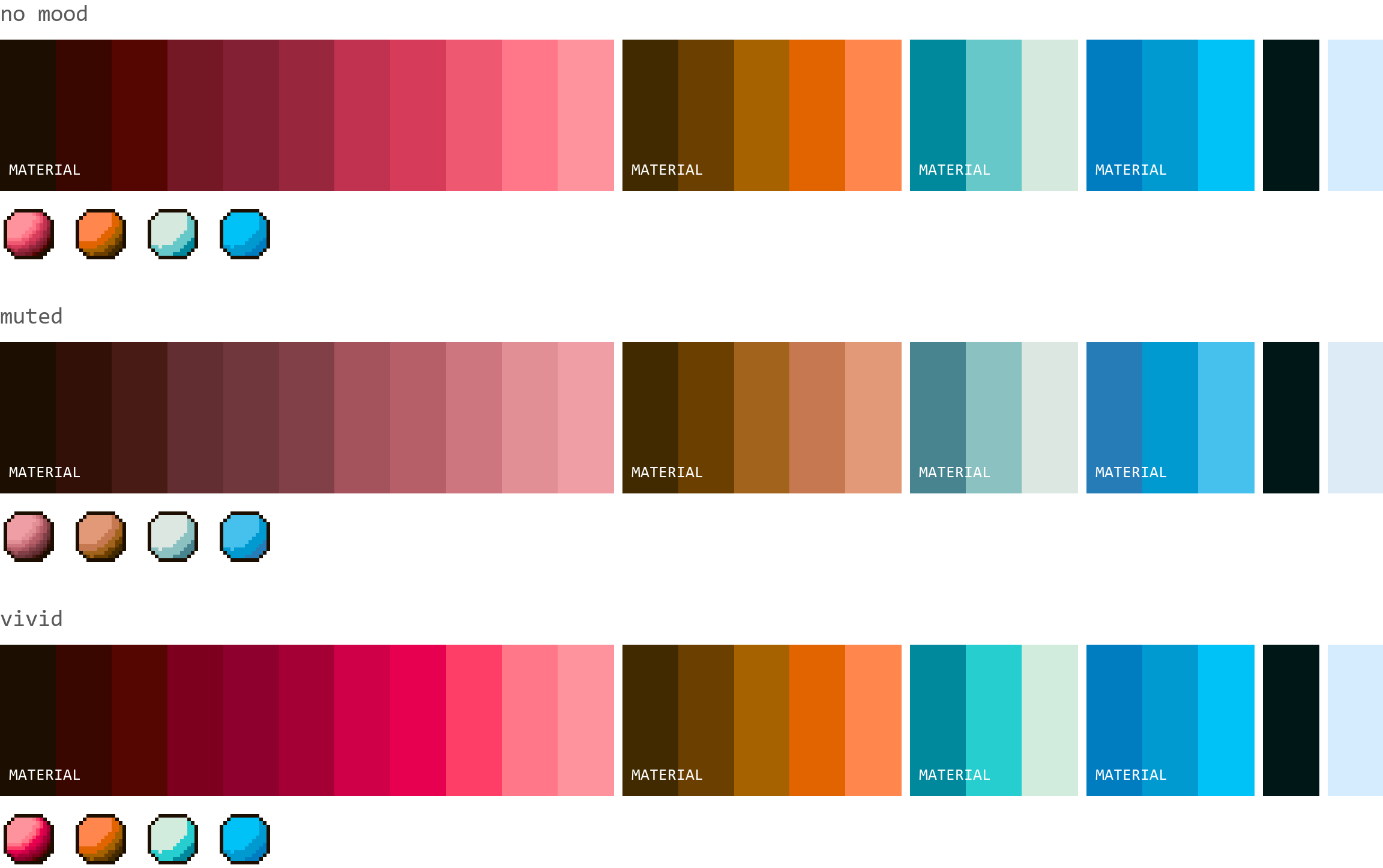
Theme decides which hue families show up. Mood decides how saturated and how bright they are. They stack, so dungeon plus vivid is a different palette from dungeon plus muted, built from the same hues.
There are 35 themes, including dungeon, forest, ocean, cyberpunk, vaporwave, halloween, desert, winter and candy. Each one carries its own measured center rather than a hand-written rule, so picking forest actually moves the greens instead of relabeling the same output.
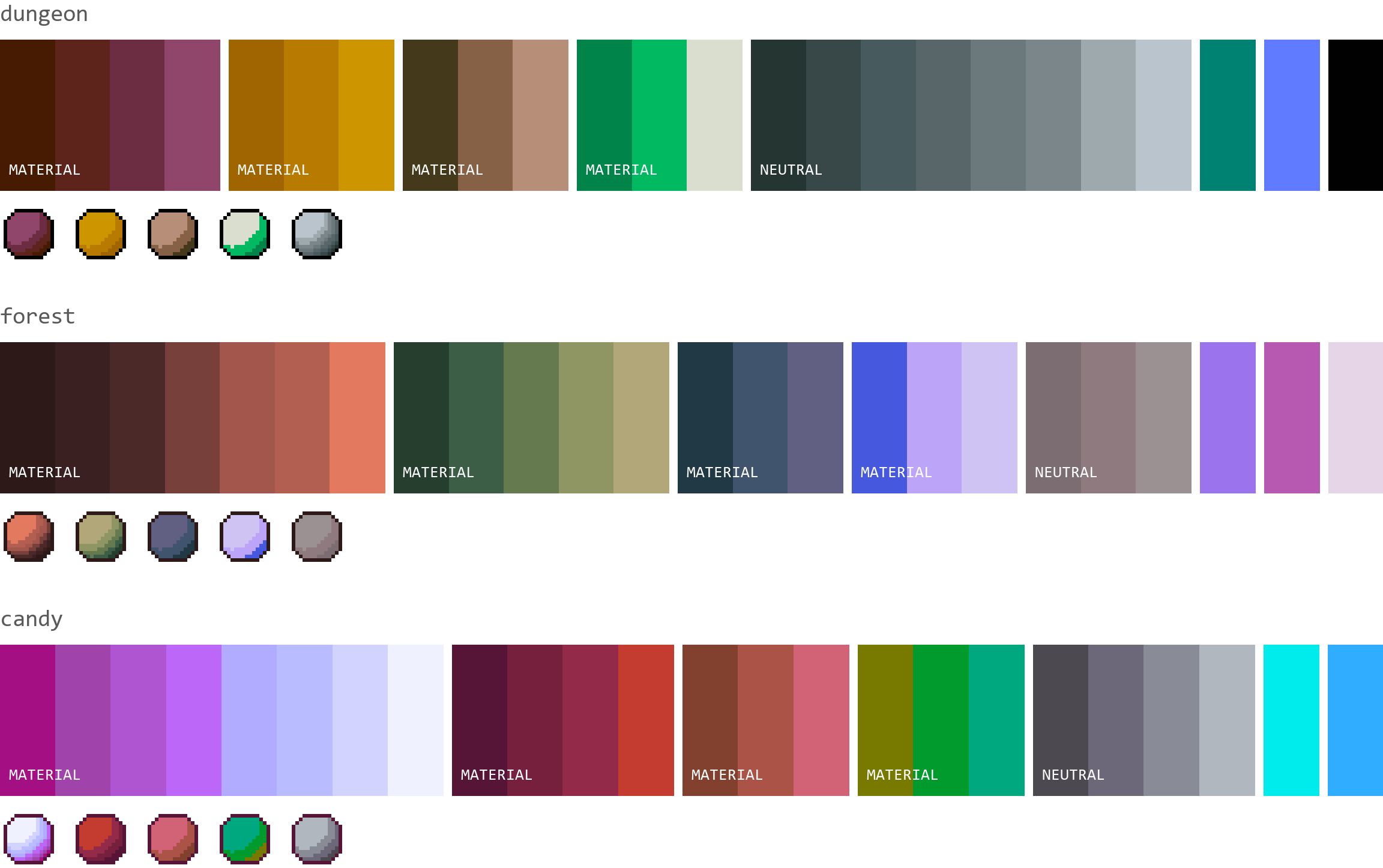
Mood has 12 options. Vivid, neon, muted, pastel, earthy, gloomy, dark, bright, happy, warm, cool and greyed. These are multipliers on the palette description rather than filters on the finished colors, so a muted palette is built muted instead of being desaturated afterward.
What makes a palette work
Value does the work, not hue. Two colors at the same brightness read as one color at 32×32, which is where muddy sprites come from, and adding a third similar tone makes it worse rather than better.
Desaturate the palette and the problem shows itself. If two swatches collapse into the same grey, they are doing one job between them. That greyscale test costs nothing and settles most arguments about a palette.
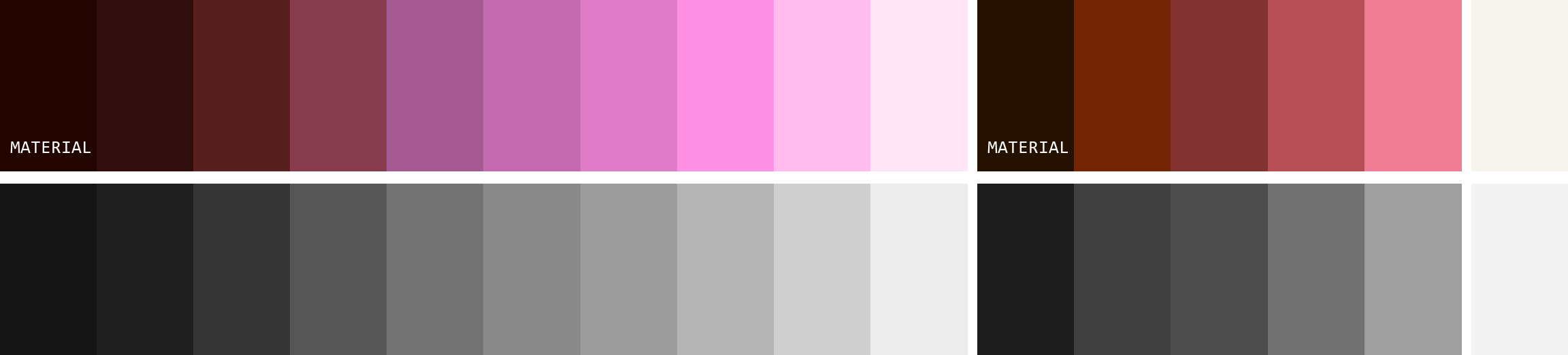
The generator enforces this inside every ramp, which is where it matters most. Each step has to climb in lightness by at least the smallest step measured in real ramps, and across 400 generated 16-color palettes the tightest pair inside any ramp still sat 6 grey levels apart out of 255. Never zero. The palette above runs a 10-step ramp from grey 21 up to 236, and a 5-step ramp from 28 to 159.
Across different ramps it is looser on purpose. Two colors belonging to two materials can share a value if their hue separates them, which is normal in real palettes and only becomes a problem when those two materials touch on the sprite. Check that by eye, not by rule.
Value contrast is worth more than color count. A 4-color palette with a real light-to-dark range beats a 32-color palette where everything sits in the mid-tones.
Hue shift is what makes a ramp look painted
Hue shift rotates the color as it moves along a ramp. A shadow leans toward blue or purple, a highlight leans toward yellow, and the ramp reads as light falling on a surface instead of a brightness slider dragged down.
It happens automatically here. The generator draws each step's rotation from the distribution measured across 9,167 real ramps, which has a median of 13 degrees per step, and it damps that rotation when a ramp already sits near yellow and has nowhere left to go. Switch it off and every ramp becomes one hue at different lightness levels.
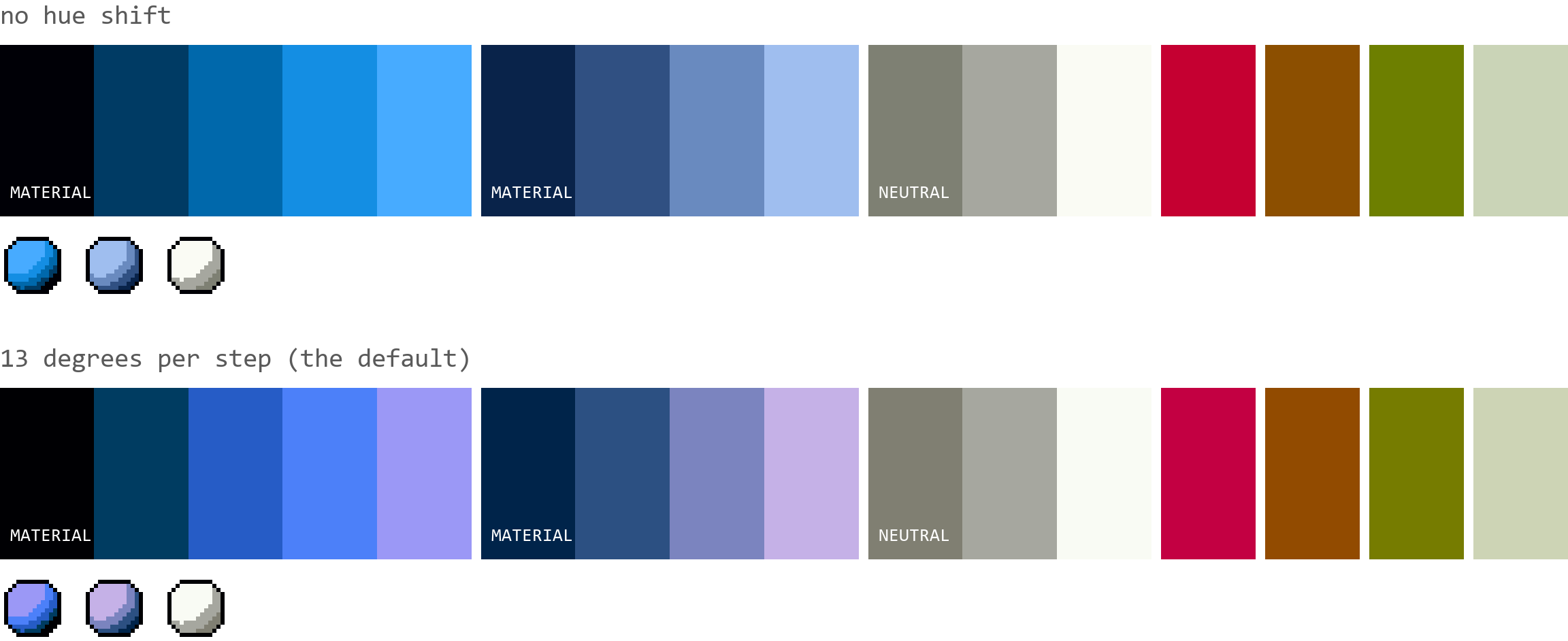
Look at the spheres rather than the strips. The flat version reads as a blue circle with a brightness gradient. The shifted one reads as a blue ball with light on it.
8 bit color palettes
An 8 bit color palette is the fixed set of colors an 8-bit machine could display, decided by its hardware rather than its artists. You did not pick colors on a Commodore 64. You picked from 16 the machine already had.
The phrase carries a second meaning worth separating. In computer graphics, 8-bit color means an image stored at 8 bits per pixel, which allows 256 colors from a lookup table. That is the GIF and indexed PNG sense of the term. In pixel art, 8-bit almost always means the console generation instead, and those palettes are far smaller than 256.
| System | Released | Colors available | On screen at once |
|---|---|---|---|
| NES | 1983 | 54 | 25 |
| Commodore 64 | 1982 | 16 | 16 |
| ZX Spectrum | 1982 | 15 | 15 |
| CGA (IBM PC) | 1981 | 16 | 4 in graphics mode |
| Game Boy | 1989 | 4 | 4 |
The MS Paint color palette belongs in the same family. The 28 colors Paint shipped with from Windows 3.1 through XP are the CGA 16 plus 12 more, and a lot of early internet pixel art shares one look because it all came out of that one row of swatches.
The constraint is easier to feel than to read about. One knight sprite in its own colors, then snapped to four hardware palettes.
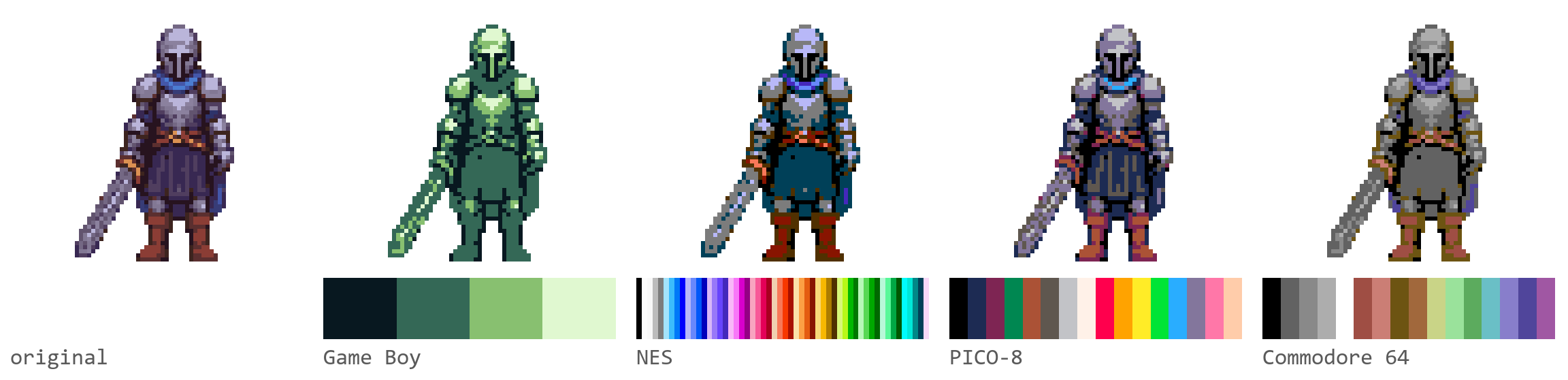
The Game Boy version is the instructive one. Four greens and nothing to hide behind, so the helmet, the tunic and the sword have to separate on value alone.
The NES color palette
The NES outputs 54 distinct colors from a 64-entry hardware table, and only 25 can appear on screen at once. Four background palettes and four sprite palettes hold three colors each, plus one shared backdrop color.
There is no single correct NES palette. The PPU emits a composite video signal rather than RGB, so every emulator carries its own approximation and every CRT showed something slightly different. These are the values in common use.

The greys run #000000 #7c7c7c #bcbcbc #f8f8f8 #fcfcfc. The blues run #0000bc #0000fc #0078f8 #3cbcfc #a4e4fc. For the other 44, save the grid above and drop it into the palette extractor, which reads every distinct color out of an image and hands back the hex codes.
The Game Boy palette
The Game Boy had four colors, all of them green. #081820 #346856 #88c070 #e0f8d0, dark to light.

Four colors is a real constraint and a good exercise. With no room for a fifth tone you have to solve form with value alone, which is the skill that carries over to every larger palette you use afterward.
16 bit color palettes
16-bit consoles had no fixed palette. That is the whole difference. The Sega Genesis chose 61 on-screen colors from a master set of 512, and the SNES chose 256 from 32,768, so artists picked their own colors instead of accepting the machine's.
| System | Master set | On screen at once |
|---|---|---|
| Sega Genesis / Mega Drive | 512 | 61 |
| Super Nintendo | 32,768 | 256 |
So a search for a 16 bit color palette is usually a search for a curated 16-color set in that era's style rather than a hardware table. Three are worth knowing. PICO-8's 16 colors are tuned to look retro without copying any single machine. Arne 16 was built by Arne Niklas Jansson for general sprite work. Endesga 16 is the warm, high-chroma one, aimed at sprites that stay readable against a busy background.


Generating at 16 gives you the same budget with your own hues. Set Colors to 16, pick a theme, and you get two shading ramps and a neutral instead of a fixed table.
How many colors to use
Fewer than you think. Most published pixel art palettes sit between 8 and 32 colors, and the ones people actually make art with cluster near 16.
Small palettes force decisions. Every color has to earn its slot, which is what gives limited art its coherence. Large palettes let you hedge, and hedging is how a sprite ends up with six browns that all look the same. If you are unsure, generate at 16, build the sprite, and add colors only when a specific shape needs one.
Export and reuse
Copy all puts every hex code on the clipboard, one per line, ready to paste into an editor's palette panel. Download PNG saves the palette as a swatch image, which works for mood boards, for sharing, or for eyedropping in any editor.
The palette is a starting point rather than an endpoint. Pull colors out of an image instead with the palette extractor, push a finished palette onto an existing sprite with palette transfer, cut an image down to a fixed color count with the color reducer, or draw straight away in the pixel editor. If you would rather start from a sprite than a swatch, the AI sprite generator on Sprite AI (sprite-ai.art) makes one from a text prompt and you can extract its palette here.
More free pixel art tools
 Tool
ToolColor reducer
Reduce colors in any image using perceptual quantization. Extract a clean limited palette.
 Tool
ToolPalette extractor
Extract dominant colors from any image as copyable hex swatches. Sort by frequency or hue.
 Tool
ToolColor picker
Visual HSV color picker with hex/RGB/HSL inputs and curated pixel art palettes.
FAQ
An 8 bit color palette is the fixed set of colors an 8-bit machine could display, chosen by its hardware rather than by the artist. The NES had 54, the Commodore 64 and CGA had 16, and the Game Boy had 4. The term also has a second technical meaning, an image stored at 8 bits per pixel, which allows 256 colors.
Between 8 and 32 for most sprite work. Value spread matters far more than color count. A 4-color palette with a clear light-to-dark range reads better at small sizes than a 32-color palette bunched in the mid-tones.
The NES outputs 54 distinct colors from a 64-entry hardware table, and only 25 of them can appear on screen at the same time. The console produces a composite signal rather than RGB, so every emulator carries a slightly different approximation of the same 54 colors.
Hue shift rotates the color as it gets lighter or darker, so a shadow leans cool and a highlight leans warm instead of being the same color at a lower brightness. The palette generator applies it automatically at a median of 13 degrees per step, measured across 9,167 ramps from published pixel art palettes. There is no slider, because the amount is drawn per step from that measured distribution rather than set by hand.
It samples a palette description first, then builds colors to match it. The description covers average saturation, average lightness, how much of the set is neutral, and which hue families appear. That model was fitted to 4,464 published pixel art palettes, so a generated set carries the correlations real palettes have instead of landing on the average of all of them.
Yes. It is free with no account, and everything runs in your browser.
The hex values for the NES, Game Boy, Commodore 64, CGA, ZX Spectrum, MS Paint, PICO-8, Arne 16 and Endesga 16 palettes are published on this page, unrounded. The generator itself builds new palettes rather than loading old ones. Copy the hex codes from the sections below, or save a swatch image and pull the colors out of it with the palette extractor.