
Image to pixel art
Turn any photo into pixel art. Free in your browser, or redrawn with AI.
Image to pixel art converter
Turn any image into pixel art in a couple of clicks. Upload a photo, screenshot, or illustration, pick the output size and color count, and this free pixel art converter downsamples and quantizes it into a clean pixel grid you can download as a PNG. It runs in your browser, no login, no watermark. And every example on this page was made with this exact converter, settings listed under each one.
What a pixel art conversion looks like
The same converter handles portraits, landscapes, and game items. Only the settings change.
Original photo
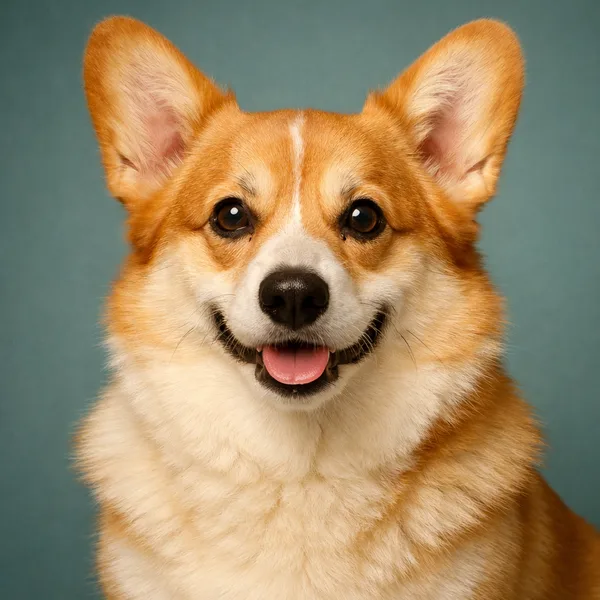
64 px · 16 colors

Original photo
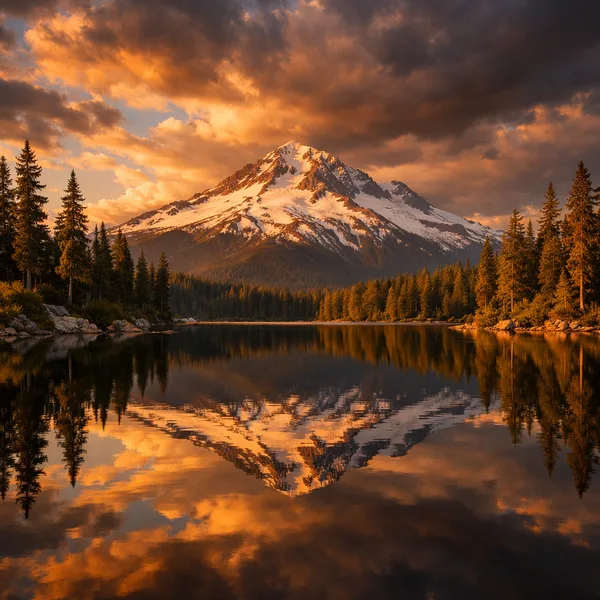
128 px · 32 colors
Original image
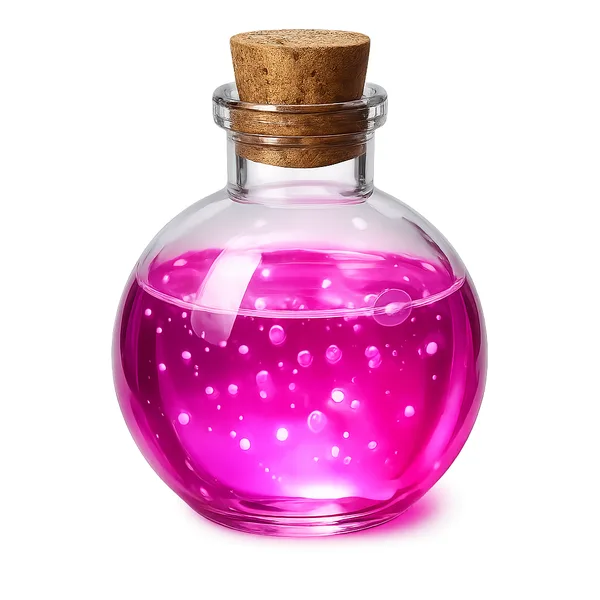
48 px · 16 colors

How to convert an image to pixel art
Converting an image to pixel art takes four steps and runs entirely in your browser.
- Upload a photo, screenshot, or illustration (PNG, JPG, WebP, GIF, AVIF, SVG, or BMP)
- Pick the output size and color count to match the sprite you want
- Click Convert to apply them
- Download the pixel art as a PNG, or open it in the editor to clean it up
Step three is the one people miss. The first upload converts on its own at the defaults, 32 px and 16 colors, and moving a slider after that changes nothing until you click Convert. If your download looks like it ignored your settings, that is why.
Output size and color count, explained
The converter has exactly two settings, output size and color count. That's deliberate. Between them they cover everything the pixelate filters in Photoshop-class editors do, without the menu diving.
Output size
Output size is the pixel grid your image gets resampled onto, anywhere from 8 to 256 px. The grid is square, so a landscape photo at 128 px comes back 128x128 rather than 128 by something shorter. It is the single biggest decision you make. Same corgi, same 16 colors, four sizes.
16 px

32 px

64 px

128 px
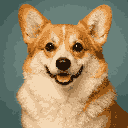
At 16 px the dog is a suggestion. 32 px works as an icon. 64 px is the sweet spot for avatars and sprites, and at 128 px you're keeping most of the photo's detail with a pixelated finish. If you're converting for a game, match the size your engine expects rather than what looks nicest zoomed in.
Color count
The converter builds a palette from your image, from 4 to 32 colors, and snaps every pixel to it. Fewer colors, stronger retro.
4 colors

8 colors

16 colors

32 colors

Four colors is a poster. Eight is a Game Boy era look. Sixteen keeps skin, fur, and sky natural while still reading as pixel art, and 32 is for when the source has gradients you can't afford to lose. Start at 16 and move one step at a time. The palette snaps hard on purpose, with no dithering, so if you want that grainy checkerboard shading, run the result through the dithering tool after.
From photo to game sprite
The converter is step one of a sprite workflow, not the whole thing. Here's the short version.
- Crop the photo to your subject before uploading, so every pixel of the grid goes to the thing you care about
- Convert at the size your game uses. 32 or 64 px covers most engines
- Click "Open in editor" and clean up the silhouette. Stray single pixels along the outline are what make converted sprites look converted
- Export as PNG, or as a sprite sheet if you're building an animation set
The editor step matters more than people expect. Two minutes of erasing noise pixels around the edge is the difference between "converted photo" and "drawn sprite". And when there's no source image at all, the AI sprite generator on Sprite AI (sprite-ai.art) makes the sprite from a text prompt instead, at anything from 32x32 to 512x512.
Using the converter as an image pixelator
This converter doubles as an image pixelator. If you just want to pixelate a photo, the mosaic look for a banner, a thumbnail, a print, use a large output size, 128 or 256 px, and a high color count so the subject stays obvious. Pixel art from photos at that scale keeps faces recognizable while making the grid part of the aesthetic.
What you can make with a pixel art converter
Anything that starts as an image can end as pixel art. The usual jobs, in rough order of how often people show up for them.
- Game sprites, converting concept art or a reference photo into a sprite-ready asset
- Retro avatars and profile pictures with a clean 8-bit or 16-bit look
- Pixel art from photos for posters, stickers, and print projects
- Quick mockups, dropping a picture in to see how a scene reads as pixel art
Tips for cleaner pixel art conversions
The source image decides most of the quality before the converter touches a pixel.
- High-contrast sources convert better than busy or low-light photos. The corgi works because it's a studio shot
- Plain backgrounds quantize into a few flat tones and make the subject pop. Cluttered ones eat half your palette
- If the result looks muddy, lower the color count before you raise the size. Muddiness is usually too many similar colors, not too few pixels
- Keep the small PNG for game engines and let the engine scale it. Pre-scaled exports are for the web, where you can't control the renderer
More free pixel art tools
 Tool
ToolSprite sheet maker
Drop in several images and pack them into one sprite sheet. Set columns, padding, and scale, then export a PNG or a JSON atlas.
 Tool
ToolSprite sheet cutter
Cut a sprite sheet into separate frames. The grid is detected for you, then every frame downloads as its own PNG in a ZIP.
 Tool
ToolGIF to sprite sheet
Convert any animated GIF into a sprite sheet PNG. Tune columns, padding, and scale. Phaser-ready atlas option.
FAQ
Upload the photo, set an output size from 8 to 256 px and a color count, then click Convert and download the result. The converter handles the downsampling and color reduction for you.
Yes. It's free with no account, no watermark, and no limit on how many images you convert.
Yes. Pixelating an image and converting it to pixel art are the same operation, resampling onto a coarse grid with fewer colors. Use a larger output size if you want the mosaic look without losing the subject.
Yes. Choose a game-ready size like 32 or 64 px, then open the result in the pixel editor to tidy up the edges before you export.
PNG, JPG, WebP, GIF, AVIF, SVG, and BMP files up to 10MB.
16 to 64 px gives the most classic look. Go higher, like 128 or 256, when you want to keep more detail from the original image.
Yes. Click 'Open in editor' to fine-tune the colors and pixels in the pixel editor, then export.