Free pixel art tools
Everything you need to create, convert, and edit pixel art sprites. No account required.





AI sprite generator
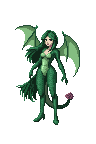
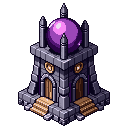
Describe what you want in plain English and get a game-ready pixel art sprite in seconds. No drawing skills needed.
AI animator
Bring any sprite to life. Generate idle, walk, attack, and more animation cycles in seconds.
Editors
Pixel art editor
Create and edit pixel art sprites in your browser. Custom canvas sizes, paint tools, export as PNG or SVG.
Sprite sheet pivot editor
Preview a sprite sheet frame by frame and set the pivot point, frame rate, and loop. Export a ready-to-use manifest.
Seamless tile editor
Make pixel art tiles seamless. Upload a tile, preview it tiled, adjust strength, download.
Reference sheet
Zoomable reference image viewer with eyedropper for picking colors from references.
Resize & transform
Upscale pixel art
Upscale pixel art 2x–16x without blur. Nearest-neighbor scaling keeps every pixel crisp.
Resize pixel art
Resize pixel art to exact dimensions with nearest-neighbor interpolation. No blur.
Rotate pixel art
Rotate sprites 90°, 180°, or 270° with pixel-perfect results. No blurring.
Mirror / flip
Flip sprites horizontally or vertically. Create left/right variants instantly.
Clean up & effects
Background remover
Remove solid-color backgrounds from sprites. Click to remove globally or flood-fill connected areas.
Grid overlay
Add a customizable grid overlay to any image. Set cell size and color, then download.
Sharpen edges
Remove fuzzy anti-aliased edges from pixel art. Snap blurry boundaries to crisp, clean pixels.
Outline generator
Add pixel outlines to sprites with custom color and thickness. Canvas expands automatically.
Shadow generator
Add drop shadows to pixel art sprites with customizable offset, color, and opacity.
Convert & animate
Image to pixel art
Convert any photo or illustration to pixel art. Choose your output size and color count, then download or edit.
Sprite sheet to GIF
Convert any sprite sheet PNG into an animated GIF. Live preview, FPS slider, padding support.
GIF to sprite sheet
Convert any animated GIF into a sprite sheet PNG. Tune columns, padding, and scale. Phaser-ready atlas option.
Sprite sheet maker
Drop in several images and pack them into one sprite sheet. Set columns, padding, and scale, then export a PNG or a JSON atlas.
Sprite sheet cutter
Cut a sprite sheet into separate frames. The grid is detected for you, then every frame downloads as its own PNG in a ZIP.
PNG to SVG converter
Convert pixel art PNGs to scalable SVG files. Each pixel becomes a vector rectangle that scales without blur.
Import sprite
Import sprites from Piskel, PNG, JPG, or WebP files and continue editing them in the pixel editor.
Color & palette
Color reducer
Reduce colors in any image using perceptual quantization. Extract a clean limited palette.
Palette generator
Generate harmonious color palettes using color theory. Complementary, triadic, analogous, and more.
Palette extractor
Extract dominant colors from any image as copyable hex swatches. Sort by frequency or hue.
Color picker
Visual HSV color picker with hex/RGB/HSL inputs and curated pixel art palettes.
Color swap
Swap colors in pixel art sprites. Pick source and target colors to recolor instantly.
Palette transfer
Unify the palette across multiple sprites. Snap one sprite onto another's color set for consistent character sets.
Generators
Pixel font generator
Type text and render it in pixel font styles. Multiple sizes, colors, and scales.
Pixel art circle generator
Generate a pixel-perfect circle at any diameter. Outline or filled, your color, transparent PNG.
Noise generator
Generate pixel noise patterns and textures — Perlin, checkers, bricks, random.
Dithering tool
Apply Floyd-Steinberg or ordered Bayer dithering to images with adjustable color count.
Guides and tutorials
Get more out of these tools with our step-by-step guides.
Pixel art fundamentals
Learn the basics of pixel art creation.
Create 16x16 pixel art
Beginner guide to small sprite sizes.
Sprite sheet maker
Combine loose images into one packed sprite sheet.
Best pixel art generators
Tool comparison for game devs.
AI sprite generator
Generate sprites from text descriptions.
Easy pixel art for beginners
Your first sprite in 10 minutes.
Frequently asked questions
Yes. Every tool on this page is free to use right in your browser, with no account needed. The only paid feature is the AI sprite generator, which runs on tokens.
No. All of these tools work without signing up. You only need an account to use the AI generator or to save sprites to your gallery.
Most tools accept PNG, JPG, and WebP and export PNG. The editor also exports SVG, and the sprite sheet tools handle animated GIFs and sprite sheets.
Yes. Anything you make here is yours to use in Unity, Godot, GameMaker, or any other engine, including commercial projects.
These tools edit and transform sprites you already have. The AI sprite generator makes brand new sprites from a text prompt, so start there if you have nothing to work from yet.