
The short answer
Is pixel art hard? Depends entirely on what you're trying to make.
A 16x16 slime enemy with two animation frames? You can learn that in an afternoon. A fully animated 64x64 character with an 8-direction walk cycle, attack combos, and idle breathing? That takes months of practice. Maybe years to get really good at.
The problem is that people ask "is pixel art hard" like it's one thing. It isn't. It's a spectrum, and where you land on it determines whether you'll be frustrated or having fun within your first week.
What's genuinely difficult
Let's not sugarcoat it. Some parts of pixel art are legitimately hard, and they stay hard even after you've been doing it a while.
Color theory with tiny palettes
Here's the catch: picking colors for pixel art isn't like picking colors for anything else. You might have 4 to 16 colors total. Every single one has to pull its weight. A bad shade of brown can make your entire sprite look muddy, and there's nowhere to hide it because every pixel is visible.
Professional pixel artists like Mort Mort and Adam Saltsman have talked about spending more time choosing palettes than actually placing pixels. That's not an exaggeration. The NES had 54 colors to work with. The Game Boy had four shades of green. Those limitations forced incredible creativity, but they also demanded a deep understanding of how colors interact at tiny scales.
If you've never thought about hue shifting, color ramps, or why you should never use pure black for outlines, you'll hit this wall fast.
Readability at small sizes
Try drawing a recognizable sword at 16x16. Now try making it look different from a stick.
That's the core challenge. You have maybe 8 pixels of width to communicate "this is a sword and not a wand or a torch or a weird line." Every pixel matters. Remove one and the whole shape falls apart. Add one in the wrong spot and it looks like a different object entirely.
Games like Celeste and Undertale make this look effortless, but the artists behind those games spent enormous amounts of time iterating on tiny sprites until they read perfectly at a glance. Maddy Thorson's team went through dozens of versions of the Celeste character before landing on that iconic red-haired design, at just 13 pixels tall.
Animation consistency
Animating pixel art is where most beginners quit.
You thought your idle sprite looked great. Then you draw the walk cycle and frame 3 looks like a completely different character. The proportions shift. The outline wobbles. Colors don't match. Getting smooth, consistent animation across 4-12 frames requires a level of patience and spatial awareness that takes real practice to develop.
This is honestly the hardest part of pixel art. Still images are forgiving. Animation is not.
What's easier than people think
Now for the good news. A lot of what scares people about pixel art is actually less intimidating than it looks.
The grid is forgiving
Unlike digital painting or traditional illustration, you can't make a "bad line" in pixel art. Every mark is a clean, deliberate square on a grid. There's no hand tremor. No brush pressure issues. No accidentally making one eye bigger than the other because your pen slipped.
You place a pixel. If it's wrong, you undo. Place it somewhere else. The grid removes an entire category of frustration that exists in every other art form.
Small canvases mean less work
A 16x16 sprite is 256 pixels. That's it. You could fill every single one in under ten minutes just clicking randomly. Compare that to a 1920x1080 digital painting with millions of pixels to worry about. The scope is tiny. That's the whole point.
Your first sprite might take two hours because you're figuring things out. Your twentieth sprite of similar complexity? Twenty minutes. Maybe less. The learning curve is steep but short for basic work.
Undo is your best friend
This sounds obvious, but it changes the psychology of creating. In traditional art, mistakes cost paint and paper. In pixel art, Ctrl+Z is infinite. You can experiment wildly (try a weird color, move an arm up by two pixels, flip the whole thing horizontally) and lose nothing. That safety net makes the "hard" parts feel more like puzzles than punishments.
Tons of free resources exist
When people were learning pixel art in the '90s, they had to figure everything out by staring at game sprites. Now there are YouTube channels like Brandon James Greer, AdamCYounis, and Pixel Pete with hundreds of free tutorials. Lospec has community-curated palettes so you don't even need to solve color theory from scratch. Aseprite costs $20 and does everything. The barriers to entry have never been lower.
The real difficulty curve
Here's what nobody tells beginners: the first few sprites are the hardest ones you'll ever make. Not because the sprites are complex, but because everything is new. You're learning the tool, the technique, and the art simultaneously.
After about 10-15 sprites, something clicks. You stop thinking about which button does what and start thinking about the actual art. That's when it gets fun.
| Stage | Time per sprite | What you're learning |
|---|---|---|
| First sprite | 1-3 hours | How the tool works, basic shapes |
| Sprites 2-10 | 30-60 minutes | Outline techniques, shading basics |
| Sprites 10-30 | 15-30 minutes | Color selection, form, readability |
| Sprites 30-100 | 10-20 minutes | Style consistency, efficiency |
| 100+ sprites | 5-15 minutes | Intuitive placement, animation |
The jump from stage one to stage two is the biggest. If you can push through those first ten sprites without giving up, you're past the worst of it.
Pixel art vs other art forms
People sometimes treat pixel art like it's this impossibly niche skill. It's not. Compared to other visual art forms, it's actually one of the more accessible starting points.
| Art form | Startup cost | Time to basic competence | Biggest challenge |
|---|---|---|---|
| Pixel art | $0-20 | 2-4 weeks | Color theory at small scale |
| Digital painting | $50-300 (tablet) | 3-6 months | Brush control, anatomy |
| 3D modeling | $0-50/mo | 3-12 months | Topology, UV mapping, rigging |
| Traditional drawing | $20-100 | 6-12 months | Hand-eye coordination, proportion |
| Vector illustration | $0-55/mo | 1-3 months | Bezier curves, clean paths |
Two to four weeks to basic competence doesn't mean mastery. It means you can make a sprite that looks like the thing it's supposed to be. Mastery takes years in any art form. But the floor, the minimum viable skill level, is lower for pixel art than almost anything else.
That's what makes it the default art style for solo indie devs. You don't need to be great. You need to be good enough for your game to work.
How AI changes the difficulty question
Here's where things get interesting. The question "is pixel art hard" meant something completely different two years ago.
If you're making sprites for a game and you don't care about becoming a pixel artist (you just need assets), AI sprite generators like Sprite AI (sprite-ai.art) have collapsed the difficulty curve almost entirely. Describe what you want, get a base sprite in seconds, clean up the details manually.
The "hard" parts of pixel art? Color selection, readability, consistent style. AI handles most of that on the first pass. You still need to know enough to spot problems and fix them, but the gap between "I have zero art skills" and "I have usable game sprites" went from months to hours.
That's not a small thing. For the solo developer building a game jam entry or a prototype, the answer to "is pixel art hard" is now "not really, if you're willing to use AI for the heavy lifting and do touch-ups yourself."
Sprite AI is built specifically for this workflow: generate at exact game sizes like 16x16 or 32x32, then edit in the built-in pixel editor to fix whatever the AI got wrong. But the general point applies to any AI generation tool. The skill floor has dropped dramatically.
Thing is, AI doesn't replace the need to learn. It just changes what you need to learn. Instead of "how do I draw a knight from scratch," it's "how do I spot that the AI gave my knight six fingers and fix it." Different skill. Much faster to acquire.
The fastest path from zero to usable sprites
If you're reading this because you need sprites for a game and you're trying to figure out if you should learn pixel art or outsource it, here's the practical path:
Week 1: Learn the absolute basics. Read through a guide on pixel art fundamentals. Make five terrible sprites. They'll be ugly. That's fine. You're training your eye.
Week 2: Constrain yourself. Work at 16x16 with a 4-color palette. Constraints force creativity and prevent you from overcomplicating things. Make ten simple objects: a tree, a rock, a potion, a chest, a coin. Keep them dead simple.
Week 3: Try AI-assisted workflow. Generate base sprites with Sprite AI or another tool, then edit them manually. This is where you'll learn the most, because you're looking at what "good enough" looks like and learning to nudge it toward "good." Our easy pixel art guide walks through this approach step by step.
Week 4: Make something real. Pick a small game idea (a 2D platformer with one level, a tiny RPG town, whatever) and make all the sprites for it. Having a goal transforms practice from boring to motivating.
After a month of this? You won't be a pixel art master. You won't win any art contests. But you'll have a set of sprites that work for a game, and you'll know enough to keep improving. That's all most people actually need.
So, is pixel art hard?
The honest answer: the basics are approachable, the ceiling is incredibly high, and the middle ground, where you can make decent game sprites, is reachable faster than you'd expect.
It's harder than people who've never tried it think, because readability and color at tiny scales is a real skill. It's easier than people who are intimidated by it assume, because the grid simplifies everything and the canvas sizes are tiny.
If you need game-ready sprites right now, AI tools can get you there today. If you want to learn the craft, commit to a month of daily practice and you'll surprise yourself.
Either way, don't let the question stop you from starting. Head to sprite-ai.art if you want to see what AI-assisted pixel art looks like in practice.
FAQs
Is pixel art hard to learn?
The basics are surprisingly approachable: small canvas, limited colors, simple shapes. The skill ceiling is high (color theory, animation, style consistency take years to master), but the middle ground where you can make decent game sprites is reachable in weeks of regular practice.
Can I make pixel art without artistic skill?
Yes. Sprite AI generates pixel art from text descriptions at game-ready sizes (16×16 to 128×128). No drawing required. Refine in the pixel editor if details need tweaking, or use the animator for movement cycles. Many shipped indie games use AI for the bulk of their art.
How long does it take to learn pixel art?
Basic competency: 2-4 weeks of daily practice (30 minutes a day). Comfortable making game-ready sprites: 2-3 months. Professional-level work: 1-2+ years. Or: zero time if you use AI generation and skip the manual drawing.
What's the hardest part of pixel art?
Readability at small sizes (every pixel matters), consistent style across many sprites, and animation timing. Color theory is a close second. Picking palettes that read clearly takes longer to master than people expect.
Should I learn pixel art or just use AI?
Depends on your goal. Shipping a game fast: use AI. Building pixel art as a creative skill: learn manually. Most successful indie devs do both: AI for bulk assets, manual for the hero characters that define the game's identity.
Related posts
 Blog
BlogHow to make a pixel art game in 6 steps
A six-step roadmap for your first pixel art game. How small to start, which engine to pick, how to make the sprites, and how to finish.
 Guide
GuideHow AI sprite generators really work
How AI sprite generators actually work, which tools are worth using, and the prompts that produce usable game-ready pixel art.
 Guide
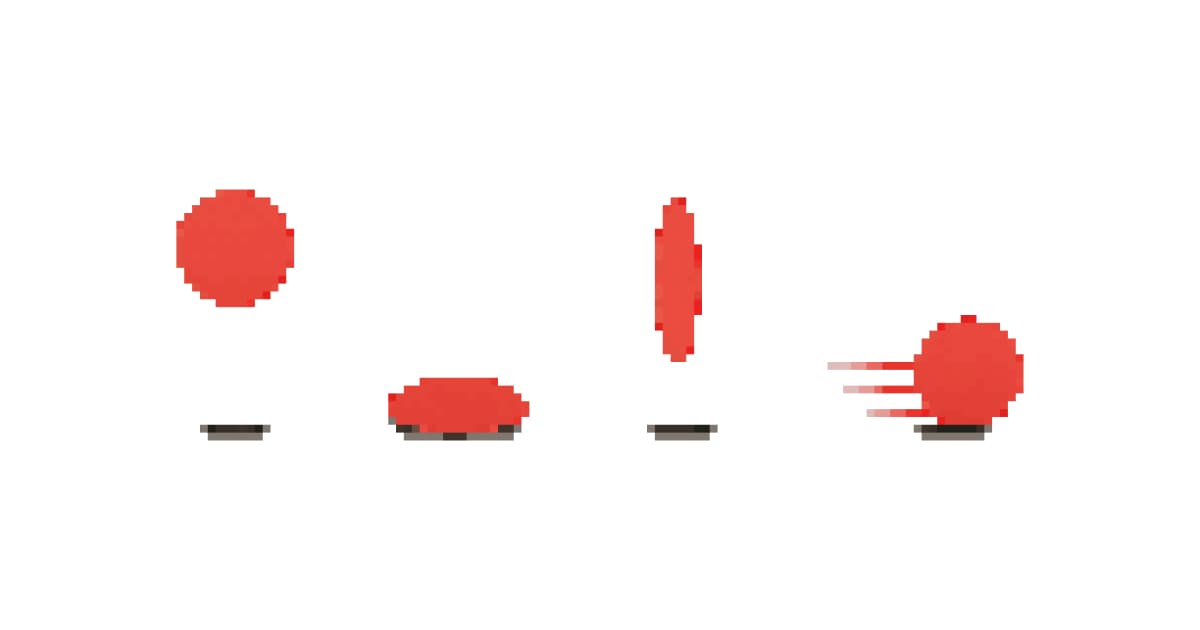
GuideThe 12 animation principles adapted for pixel art sprites
How Disney's 12 animation principles apply to sprite animation and pixel art. Practical breakdowns with frame counts, game references, and real examples.